FREE PLAN
Try BoardCraft
$0forever
No card required
- 10 boards
- Free assets
- 3 exports per day, 30 per month
- PNG, PDF, and print-pack exports
Build classroom boards, decor, and print-ready displays with a drag-and-drop editor made for teachers.
Board-building toolkit
Start from a blank board, add the pieces teachers actually need, then export without rebuilding the layout somewhere else.
Place, resize, layer, and arrange classroom pieces on a visual canvas.
Build classroom titles and decorate with friendly printable elements.
Bring in classroom photos, school artwork, logos, and custom resources.
Download files made for printing, hanging, or packaging resources.
How it works
BoardCraft keeps the workflow simple: choose the canvas, decorate it visually, and export the result.
Choose a board size or create your own custom layout.
Decorate with letters, borders, banners, clipart, text, shapes, patterns, and uploads.
Download print-ready files for your classroom.
Made for teachers and teacher-sellers
Save time on classroom prep with boards, signs, labels, displays, and reusable decor layouts.
Build printable classroom resources and package designs faster with seller-focused export and sharing tools.

Print confidence
Plan the finished display visually, then choose the export that matches how you want to print and assemble it.
Arrange the full display on one canvas before anything reaches the printer.
Download the whole board as PNG or PDF, or prepare individual pieces for assembly.
Print Items Separately supports both US Letter and A4 pages.
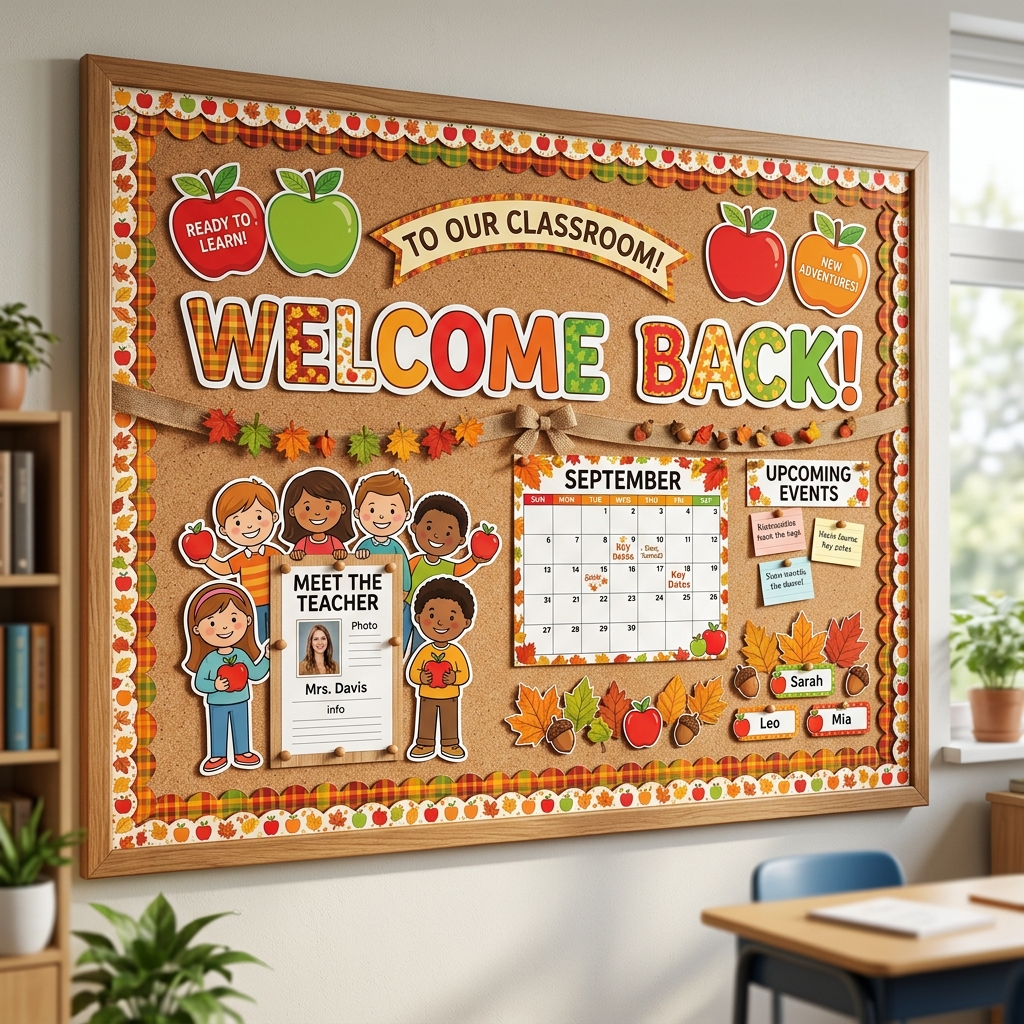 From canvas to classroom
Pricing
See what each plan costs and choose the tools that match your classroom or resource shop. Save 25% with annual billing.
FREE PLAN
No card required
TEACHER PLAN
$72/year · Save 25%
SELLER PLAN
$225/year · Save 25%
Quick answers
Practical answers about getting started, printing, plans, and seller workflows.
No. BoardCraft is built for busy teachers. You can use ready-made assets, simple editing tools, templates, borders, text, clipart, and printable layouts to create classroom designs quickly.
Yes. BoardCraft offers four export options: Save as Image (PNG) for one high-resolution board image, Save as Document (PDF) for a print-ready document when the board size allows, Export for Printing (also called a Print Pack) for printable board pieces, and the Seller-only Export Asset Bundle for separate high-quality assets in a ZIP file. Free-plan export limits still apply.
Yes. BoardCraft has a Free plan so you can try the editor, create up to 10 boards, use free assets, and export within the free usage limits. Paid plans unlock unlimited boards, premium assets, higher limits, and advanced features.
The Seller plan is designed for teacher-sellers and includes commercial-use workflows, cloneable template sharing, and individual elements export.
Social Media
Follow BoardCraft on YouTube for practical tutorials, creative bulletin board ideas, and new ways to bring your classroom displays to life.
From idea to hallway
Design it visually, adjust the details, and export print-ready files when it feels right.